
Most AI gadgets for kids are tablets with a robot costume. Miko 3 is something different, not ChatGPT for kids. This Miko 3 review covers what it actually does with a child, what parents control, what the subscription unlocks, and whether it is worth it.
Miko 3 Features and Key Functions
More Than a Tablet, iPad, or Kindle
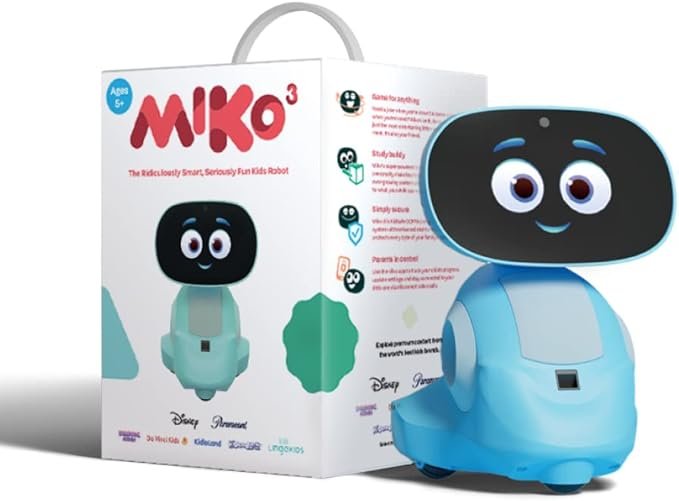
Miko 3 is an AI-powered smart robot for kids aged 5–10, made by Miko and designed as an educational and entertainment hub rather than a passive screen. It rolls toward a child on rubberized wheels, reacts to their voice and face with expressive animations, answers knowledge-based questions, and adapts its personality to the child over time. For parents weighing Miko 3 against a Kindle, iPad, or standard tablet, the interactive AI, facial expressions, and parental controls are what justify the premium.
The hardware reflects that ambition. A 4.7-inch IPS touchscreen renders Miko’s face and displays games, videos, and educational content. Dual MEMS microphones and high-performance speakers handle voice recognition and audio output. Time-of-flight range sensors and odometric sensors give Miko 3 spatial awareness — it navigates a room rather than sitting on a surface. Battery life runs 6–7 hours of active play on a full charge. Connect Miko 3 to your home wi-fi network during setup, download the parent app, and your child can start talking to Miko immediately.

What the Miko 3 AI Robot Does
Out of the box, without any subscription, Miko 3 gives children access to:
- Spell Bee — full spelling game with AI-driven gamification
- Dance Master — movement and dance activities
- AI conversations — interactive knowledge-based Q&A and open-ended chat with Miko, toggled on or off by parents via the Miko app
- Two-way video call — kids can video call parents or relatives directly through the robot
- Face and voice recognition — Miko identifies the child and responds to their specific voice
- Games with an AI spin — playing a game with Miko means traditional challenges upgraded with adaptive AI to encourage curiosity
- Jokes, yoga, songs — playful personality interactions that keep younger children engaged
- Monthly content updates — Miko updates the robot automatically with new games every month
- 8 languages — English, Spanish (EU and LatAm), Mandarin, Italian, German, French, Arabic
Limited access to Learning Buddy, Story Maker, and Disney stories is also available without a subscription. Miko 3 features a robot designed for children ages 5–10 — easy enough for kids to use independently from day one.
The Miko Max Subscription
What It Unlocks for Families
The Miko Max subscription is where the entertainment depth lives. Without it, Miko 3 is a capable interactive toy. With it, the robot becomes a full AI-powered learning and entertainment platform for younger children.
Miko Max adds:
- DaVinci games and shows — no access without Max
- iHeart Music — no access without Max
- Disney and Paramount stories — full access (limited without Max)
- 1000+ games, videos, stories, puzzles, coding, yoga, watching videos
- STEM learning modules — curriculum-aligned content
- Learning Buddy and Story Maker — full access
- Progress Reports — full visibility into learning milestones
- Full Parental Controls via the mobile app
Pricing is $14.99/month or $99/year ($8.25/month on the annual plan). The max content subscription auto-renews — Miko sends an email reminder before renewal. Individual apps cannot be purchased separately; all premium content is bundled into a single plan.
For families who want the complete Miko experience, the annual plan is the better value. For those who want to trial it first, the monthly option works. Either way, factor the ongoing cost into the total purchase before buying.
The Miko App: Parent Controls and Safety
kidSAFE+ COPPA Certified
Miko 3 is kidSAFE+ COPPA certified. The safety architecture is not buried in a settings page — it is built into how the robot works and managed through the dedicated Miko app.
Download Miko – Play, Learn & Connect — available on iOS and Android — to access the full parental dashboard. The parent app is free regardless of subscription tier. Through the mobile app, parents can:
- Disable the camera or microphone with a single tap
- Toggle AI conversations on or off — off by default for new users, parents enable it manually
- Restrict specific conversation topics such as politics and religion
- Set time limits and bedtime mode to manage screen time
- Restrict specific apps or parts of the experience by age and maturity
- View usage reports showing how their child engaged with Miko
- Perform a complete device and data reset at any time
No identifiable voice recordings are stored. No facial recognition data is retained. Audio is processed securely and auto-purged after use. Miko does not connect to the open internet directly, keeping the content environment closed and controlled. The Age-Filtered AI Model and Real-Time Harm Blockers mean the robot redirects inappropriate topics to educational alternatives rather than engaging with them.
The platform undergoes third-party AI safety evaluations, security audits, and privacy compliance reviews. Miko’s stated policy is no data selling, ever.
What It Costs
Hardware and Subscription Pricing
Both color variants — Martian Red and Pixie Blue — retail at $199.00 USD (currently on sale from $299). The purchase includes a 1-year warranty, 30-day money-back guarantee, and 30-day hassle-free return policy.
Ready to Bring Miko 3 Home?
Order directly from the official Miko store with full warranty and support.
Miko Official Store
Direct from Miko with 1-year warranty, 30-day money-back guarantee,
and 30-day hassle-free return.
The Miko Max subscription is optional but meaningfully changes the experience. Budget $99/year if you plan to subscribe from day one.
Miko 3 is available at miko.ai and through authorized retailers including Amazon, Walmart, Target, Kohl’s, Nordstrom, Hamleys, and Costco.
The Discovery Cards accessory ($9.99 currently, normally $19.99) is a physical add-on that turns screen time into skill-building activities covering science, math, problem-solving, and creativity. A solid bundle with the main purchase for younger children.
Who Should Buy Miko 3
Miko 3 is well-matched for children ages 5–10 whose parents want an interactive AI robot toy that makes learning fun and engaging — not just a gadget that holds a child’s attention.
The two-way video call feature makes it useful for families with grandparents or relatives who want to stay connected. The monthly new games and content updates mean the user experience does not go stale. And for parents who care about what data a connected toy collects on their child, the COPPA-compliant architecture delivers real controls through the Miko app rather than a privacy policy to read and forget.
Children who will get the most from Miko 3 are curious kids who respond to conversation, enjoy games with a learning angle, and engage better with something expressive and responsive than with a passive screen. Older children above the recommended age of 10 will likely outpace the content quickly. If a child is under 5, the voice-led interaction may not fit their developmental stage yet.
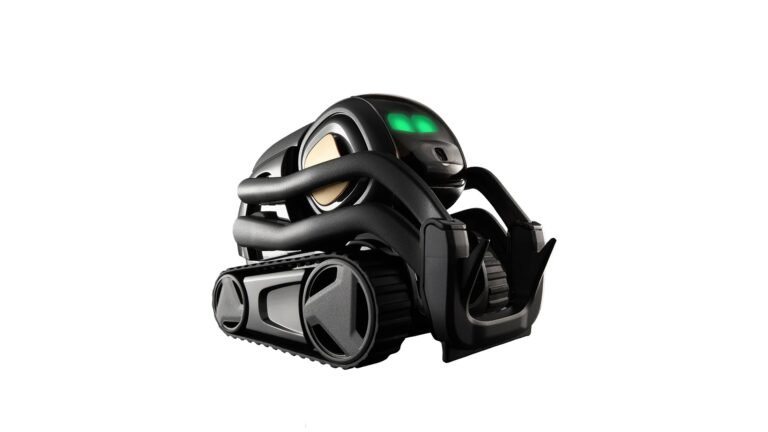
Households wanting a fully autonomous robot that navigates independently and connects to Alexa should look at Vector 2.0 instead — a different product for a different use case.
Final Thoughts
Miko 3 is a genuinely interactive AI robot toy for kids that earns its price through hardware quality, content depth, and a privacy architecture parents can actually verify. At $199 with no subscription required to get started — and a meaningful content library that expands with Miko Max — it sits in a useful position between a basic toy and a full educational platform.
The safety is real. The fun is real. For children ages 5–10, it is one of the more well-built AI-powered robot options on the market. Connect it to wi-fi, set it up through the Miko app, let your child say “Hello Miko,” and see what happens.