Disclosure: This page contains affiliate links. If you purchase through them, we may earn a commission at no additional cost to you. We only recommend products we truly believe in.
What the Makeblock mBot Ranger Is
The Makeblock mBot Ranger is an educational robot kit that Makeblock rates for ages 8 and up, though its mechanical assembly and multi-level coding realistically suit children around 10 and up — or younger builders working alongside an adult — who are ready to move past toy-grade robotics and into real programming. Makeblock, a robotics company founded in 2011 and headquartered in Shenzhen, China, positions the mBot Ranger as a step up from the regular mBot line, targeting learners who want more complexity as they learn programming, without requiring prior coding experience.
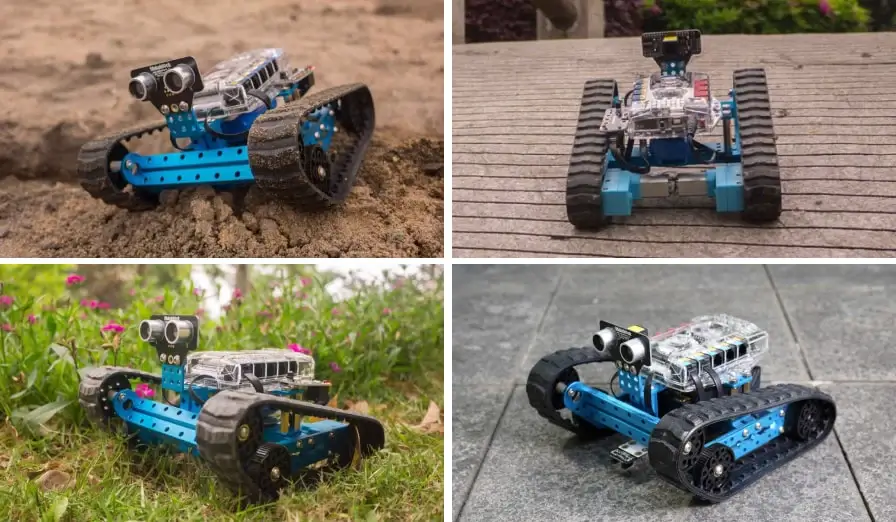
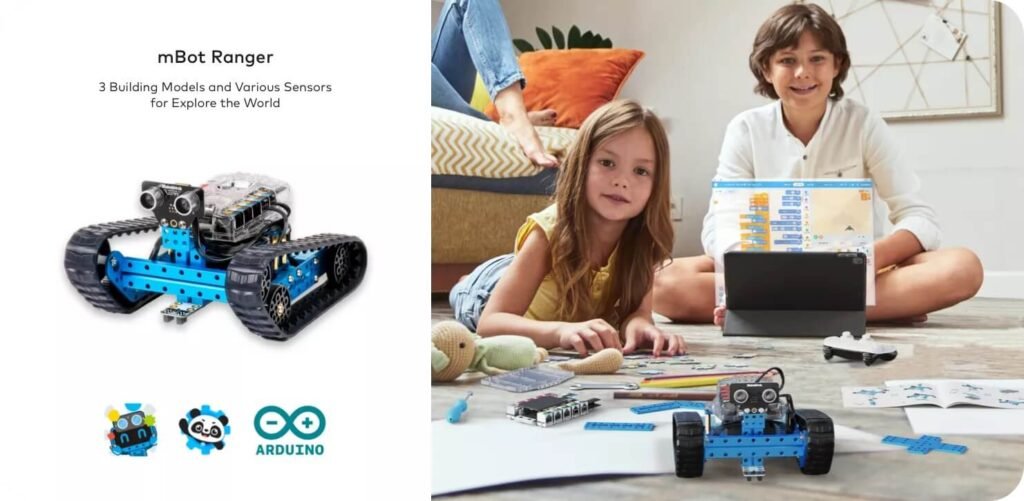
The robot kit ships containing roughly 100 parts and supports three different supplied configurations: the Land Raider, an all-terrain tracked design that functions as a robot tank; the Dashing Raptor, a speedy three-wheeled configuration; and the Nervous Bird, a self-balancing two-wheeled form. Each shape uses the same components, rebuilt into a different mechanical arrangement, and everything arrives in a reusable storage box that keeps parts organized between sessions.
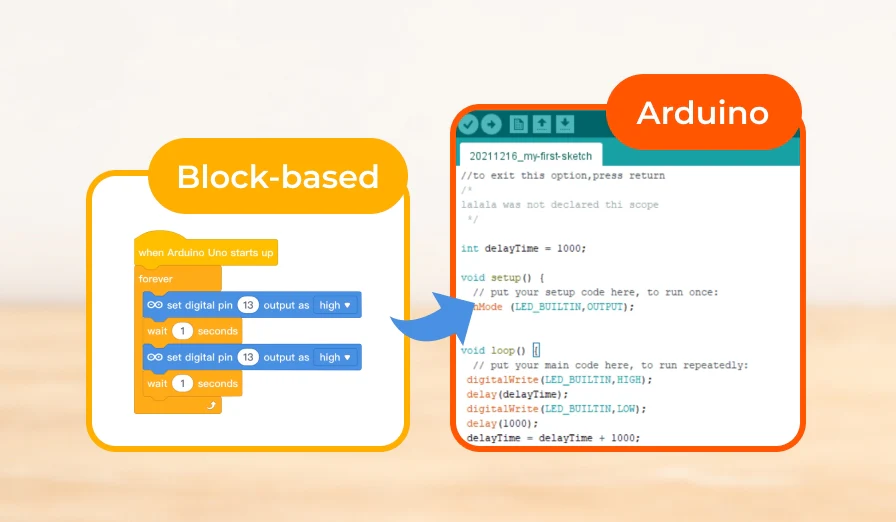
Buyers entering this category often assume that a kit at this level locks them into a single coding language or shuts younger children out entirely. The mBot Ranger tests both assumptions. Block-based visual programming for beginners and Arduino for the more advanced programmer run on the same platform. The Me Auriga main control board, powered by an ATmega2560 processor, handles sensor input and motor control across all three configurations, giving the kit enough depth to grow with a learner rather than becoming obsolete after a few sessions.
How It Works
The mBot Ranger sits above the mBot Neo in processor power and sensor count, running an ATmega2560 core at 16 MHz on the Me Auriga main control board rather than the simpler controller found in entry-level Makeblock kits.
The Me Auriga integrates a gyroscope, temperature sensor, sound sensor, light sensor, and buzzer directly on the board.
External modules extend the range of built-in sensors further: the Me Ultrasonic Sensor detects objects from 3 to 400 cm for obstacle avoidance, and the Me Line Follower uses paired IR transmitting LEDs and phototransistors for line following. The encoder motors drive each configuration with optical feedback for accurate speed and position control, rated at 350 RPM ±5% on Makeblock’s current spec sheet. The main board exposes 10 sensor ports and 2 motor servo ports, leaving room for expansion without exhausting connections.
The three preset forms each use this hardware differently: Land Raider runs on tracks, Dashing Raptor is a three-wheeled speed build, and Nervous Bird is a self-balancing design that puts the gyro sensor to direct use.
Control the robot via Bluetooth from the Makeblock App for remote play, or through mBlock 5 for drag-and-drop block-based coding. The Arduino-compatible architecture opens the same hardware to C-based Arduino coding for advanced users. The kit runs on 6 AA batteries or a 2600 mAh rechargeable pack, good for roughly 1–2 hours of playtime per charge.
What It Costs
The mBot Ranger robot kit is a single one-time purchase, listed at $169.99 on Makeblock’s site at the time of writing (down from $209.99), with no subscription or recurring cost attached. That price covers the full 3 in 1 robotics kit: roughly 100 parts, the Me Auriga controller board, the sensor complement, Bluetooth connectivity, and compatibility with over 500 Makeblock parts and LEGO bricks. All assembly tools ship in the box, including a soft-grip screwdriver, so no separate tool purchase is necessary.
The rechargeable Li-polymer battery pack is normally an add-on, though Makeblock is currently bundling it as a free gift; buyers should confirm whether that promotion still applies. The 6 AA batteries option lets kids use the robot immediately out of the box, while the rechargeable pack avoids ongoing AA costs.
Set against the feature density, the price is reasonable for the audience the mBot Ranger targets: children aged 10 and up who are ready to move past basic remote-control toys and into genuine robotics programming.
The Me Auriga mainboard, three build configurations, multi-level coding support from block-based drag and drop through Arduino, and an aluminum frame rather than plastic for durability represent meaningful hardware depth at this price point.
Makeblock does not publish warranty duration prominently in product listing copy, so buyers should confirm current terms directly with the manufacturer before purchase.
Pricing and the free-battery promotion change often, so it’s worth checking the current listing before you buy.
See the mBot Ranger’s current price and what’s in the box →
Limitations
The mBot Ranger carries three concrete weaknesses that buyers should weigh before purchasing.
Battery retention is a recurring issue independent reviewers report: the batteries can work loose after hard impacts or when the robot overturns, and TechWalls observed the same during active use. The standard kit runs on 6 AA batteries; the rechargeable Li-polymer pack, currently bundled free, helps, but the holder design remains the weak point.
The mBlock software is built primarily for beginners, a ceiling that available reviews suggest children reach once they progress past block-based drag and drop programming. Scratch-based graphical programming on PC and Mac covers the middle tier, and its beginner focus can feel limiting to more experienced young programmers. Arduino access extends the platform meaningfully — reviewers who moved on to custom mBlock and Arduino projects found real headroom there — yet the mBlock environment itself lacks the depth dedicated Arduino IDE users expect, and Python is not a supported programming mode on the Ranger.
Reviewers note that some younger children may find the assembly process difficult without adult help, despite the aluminum-framed build being straightforward by robotics kit standards. The three configurations each require a full rebuild when switching forms, not a quick reconfiguration. That time cost is real for classroom or makerspace environments where session lengths are fixed.
None of these limitations disqualify the mBot Ranger for its target audience. They do define its ceiling.
mBot Ranger vs LEGO Spike Prime vs VEX IQ
| Feature | Makeblock mBot Ranger | LEGO Spike Prime | VEX IQ |
|---|---|---|---|
| Programming | Scratch, mBlock, Arduino C | SPIKE App | VEXcode |
| Build material | Aluminum, modular | Plastic | Plastic |
| App | Makeblock App, mBlock | LEGO Spike App | VEX App |
| Build time | ~ 1 hr | Moderate | Complex |
| Recommended age | 8+ (best 10+) | 10+ | 8+ |
Who Shouldn’t Buy This
The mBot Ranger is designed for children aged 10 and up who are new to coding, robotics, and electronics. Buyers outside that profile will find specific, concrete gaps.
Very young children, roughly under 10, face a real mismatch. The assembly process involves aluminum parts, small connectors, and a level of mechanical reasoning that younger kids typically cannot manage independently. Review patterns across multiple sources show that children in this age range require sustained adult involvement, which shifts the experience away from independent learning robot building basics.
Advanced programmers also hit a ceiling quickly. The mBlock software, with its simple tablet-based visual programming, targets beginners. Experienced coders who already write in Python or have worked through Arduino projects will find the mBot Ranger’s structured, beginner-oriented challenges limited, though the Arduino path leaves more room to grow. The flexible robot structure and three preset configurations offer variety for newcomers but not the open-ended complexity that advanced users seek.
Buyers planning heavy classroom or extended-session use should sort out their power setup up front: the standard kit runs on 6 AA batteries, and while the rechargeable Li-polymer pack is currently included free, that promotion can change — worth confirming before you count on it.
Finally, anyone seeking a pure coding platform rather than a build-first robot kit may find the assembly emphasis misaligned with their goal. The mBot Ranger teaches robot-building basics as its first act; the coding follows from that foundation.
Frequently Asked Questions
What does the Makeblock mBot Ranger teach kids about programming?
It introduces block-based coding and Arduino C, giving learners a foundation in logic, structure, and programming language principles. As they progress, they gain genuine programming skills applicable to future studies.
How long does it take to build the mBot Ranger?
Independent reviewers put a first build at closer to an hour, with later rebuilds going faster. No soldering — just the included screwdriver.
Can the Ranger operate autonomously?
Yes. With its ultrasonic and line following sensor, the mBot Ranger can perform basic navigation and obstacle avoidance autonomously. It’s a true programmable robot that showcases automation fundamentals.
What makes the Ranger a great gift?
It’s more than a robot toy—it’s a robot kit that nurtures curiosity and discovery. Its design supports long-term educational growth while remaining fun and approachable.
Does it require a computer to code?
Not necessarily. The Makeblock App allows direct mobile-based coding and wireless control, letting kids use the robot anywhere. However, for advanced work, the Arduino IDE opens deeper exploration.
Verdict
The Makeblock mBot Ranger is the strongest fit for children aged 10 and up who want to learn STEM concepts through hands-on assembly rather than screen-first instruction.
The 3-in-1 robotics kit sits meaningfully above entry-level robot toys: the aluminum frame, the Me Auriga controller with its onboard gyroscope and sound sensor, and the progression from Scratch-based graphical programming on PC and Mac through to C-based Arduino coding give the mBot Ranger genuine longevity as a learning tool. Independent reviewers put individual builds at around an hour when following the instruction manual, making it suitable for classroom or makerspace environments with reasonable session lengths.
The three preset configurations, Land Raider, Dashing Raptor, and Nervous Bird, extend build variety without additional cost, and LEGO brick compatibility broadens creative scope further. The mBlock software scales with the learner, from block-based coding for beginners to Arduino for advanced users, so the kit does not become obsolete once a child outgrows simple graphical programming on tablets.
The limitations are real but bounded. Battery retention is a documented inconvenience, and buyers wanting extended run time should check whether Makeblock’s current free Li-polymer pack offer still applies. For classroom or home-based STEM education with a motivated child, the mBot Ranger earns a clear recommendation at a defensible price.
If that’s your child — a hands-on builder ready to grow into real coding — the mBot Ranger is an easy recommendation.
Check current availability and pricing on Makeblock →